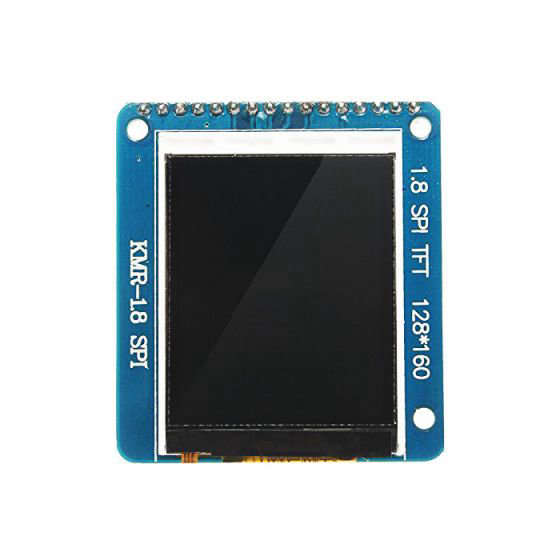
1// www.Pishnam.com2//Mohammad rafiei 10 shahrivar 14033 4//*****************************************************5 6////////////////// CS D/C RST DIN CLK VCC GND7//Arduino Mega2560 9 10 8 51 52 5V GND8//Arduino Uno 9 10 8 11 13 5V GND9 10//*****************************************************11 12#include <Adafruit_GFX.h> // Core graphics library13#include <Adafruit_ST7735.h> // Hardware-specific library14 15//****************************************************16 17#define TFT_RST 8 // you can also connect this to the Arduino reset in which case, set this #define pin to -1! 18#define TFT_CS 919#define TFT_DC 1020 21//FASTTTTTTTTTTTTTTTTTTTTT22 23// Option 1 (recommended): must use the hardware SPI pins24// (for UNO thats sclk = 13 and sid = 11) and pin 10 must be25// an output. This is much faster - also required if you want26// to use the microSD card (see the image drawing example)27Adafruit_ST7735 tft = Adafruit_ST7735(TFT_CS, TFT_DC, TFT_RST);28 29 30//SLOWWWWWWWWWWWWWWWWWWWWWWWWW31 32// Option 2: use any pins but a little slower!33//#define TFT_SCLK 13 // set these to be whatever pins you like!34//#define TFT_MOSI 11 // set these to be whatever pins you like!35//Adafruit_ST7735 tft = Adafruit_ST7735(TFT_CS, TFT_DC, TFT_MOSI, TFT_SCLK, TFT_RST);36 37//****************************************************38 39void setup(void)40{41 tft.initR(INITR_BLACKTAB); // initialize a ST7735S chip, black tab42 tft.setRotation(0);43 44 tft.fillScreen(ST7735_BLACK);45 46 tft.setTextWrap(0);47 48 //////////////////////////////////////////////49 50 tft.setCursor(15, 10);51 tft.setTextColor(ST7735_RED, ST7735_GREEN);52 tft.setTextSize(2);53 tft.println("Pishnam");54 55 tft.fillRoundRect(25, 30, 20, 20, 3, ST7735_WHITE);56 tft.drawRect(55, 30, 20, 20, ST7735_WHITE);57 tft.fillRect(85, 30, 20, 20, ST7735_GREEN);58 59 tft.drawFastHLine(10, 70, 30, ST7735_WHITE);60 tft.drawFastVLine(10, 80, 30, ST7735_RED);61 62 tft.fillCircle(80, 100, 15, ST7735_BLUE);63 tft.drawCircle(40, 100, 15, ST7735_ORANGE);64 65 tft.drawLine(30, 130, 100, 150, ST7735_WHITE);66 67 tft.fillTriangle(50, 50, 50, 70, 70, 60, ST77XX_RED);68 tft.drawTriangle(80, 50, 80, 70, 100, 60, ST77XX_RED);69 70 71 int w = tft.width();72 int h = tft.height();73 74 tft.setCursor(10, 140);75 tft.setTextColor(ST7735_WHITE, ST7735_BLACK);76 tft.setTextSize(2);77 tft.println(w);78 79}80 81//****************************************************82 83void loop()84{85 //tft.invertDisplay(1);86 //delay(2000);87 //tft.invertDisplay(0);88 //delay(2000);89 90 91}